Browser Can Lie to You (Sometimes), Part 2: A Failed Security Check That Still Landed the File
Hey everyone, it's me, Chicken0248. If you read my last post on interrupt reason 41, you already know I have a bit of a thing for the numbers Chromium writes into the downloads history table. This one is a follow-up of sorts, about a different value that tripped me up: interrupt reason 12.
Quick refresher in case you skipped the last one. Every Chromium-based browser keeps a downloads table in its History SQLite database, and for every download it records a numeric interrupt_reason describing what happened along the way. You can find all of them in the Chromium source at download_interrupt_reason_values.h, and Ryan Benson (author of Hindsight) already mapped them to readable meanings in his Chrome Values Lookup Tables.
This one came out of a real case, and it flipped an assumption I didn't realize I was making about what a "failed" download even means. Let me walk you through how I got there.
This all started on a real case. I was reviewing a user's browser download history and saw a handful of zip downloads recorded with interrupt_reason = 12. On paper that reads like the downloads failed, so the files never made it to the machine. I almost moved on.
Two other artifacts said otherwise. The zip files were still on disk, and their file system creation timestamps lined up with the download start times sitting in the History table. That alone was a flag. Then the shellbags sealed it. Windows treats a zip as a browsable folder, so opening one in Explorer leaves a shellbag behind, and the shellbags showed each of those archives had been opened. After opening them, the user renamed the extracted files.
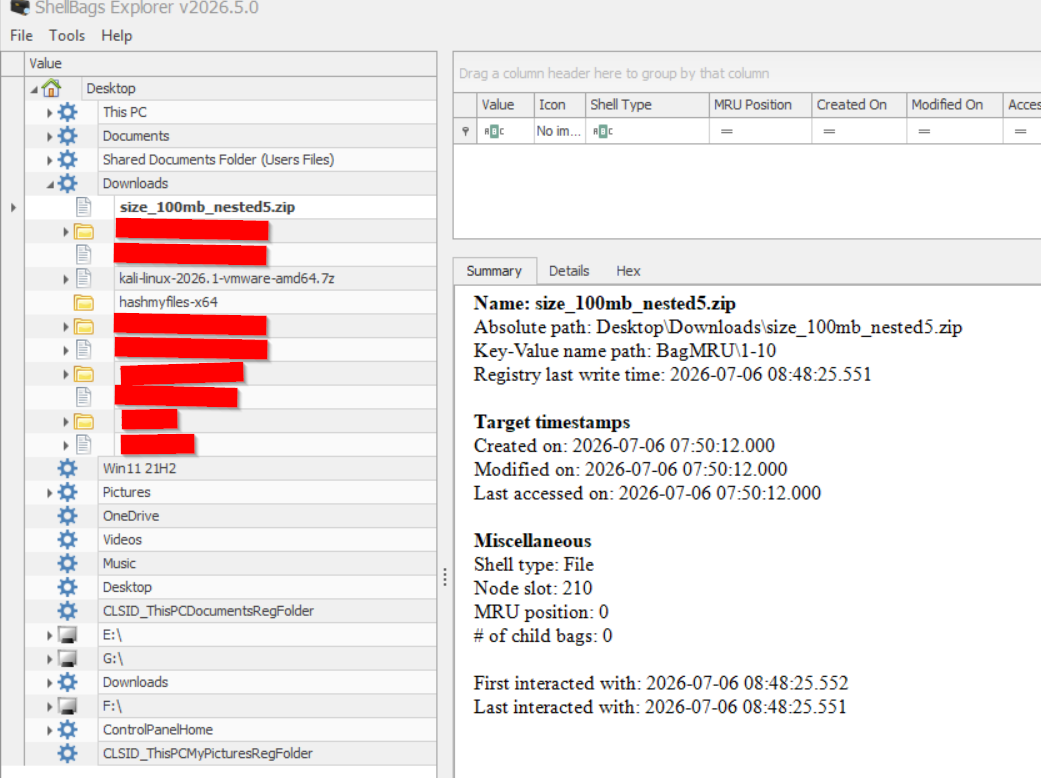
So here's what I was staring at. The browser history called these downloads interrupted. The interrupted rows didn't even carry an end_time I could anchor a timeline to, so I leaned on the file system and the shellbags instead. Together they told a complete story: the files downloaded, landed, got opened, and got renamed. The whole user sequence was reconstructable without trusting the browser's "interrupted" label at all.
That contradiction is what sent me to the Chromium source. If the download failed, why was the complete file sitting there, opened and renamed? The rest of this post is the answer.
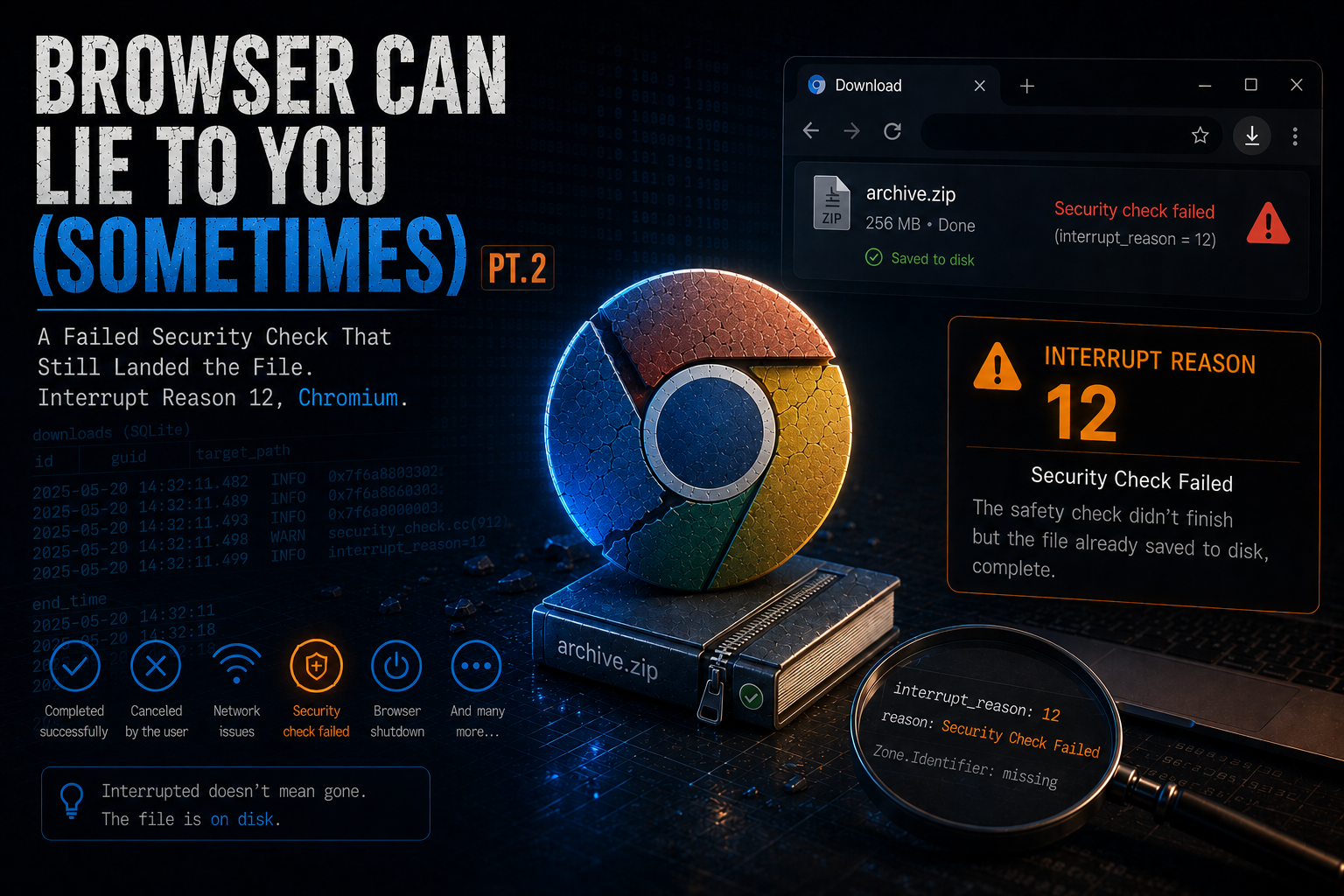
Reason 12 is FILE_SECURITY_CHECK_FAILED. The source comment is short and honestly a little vague: "An attempt to check the safety of the download failed due to unexpected reasons. See http://crbug.com/153212."

Ryan's table labels it Security Check Failed with basically the same description. Notice the word unexpected. That's the whole story of this value, and I didn't appreciate it until I read how it gets written.
On Windows, when a download finishes, Chromium doesn't just leave the file alone. It hands the finished file to Windows to apply Mark-of-the-Web and run the attachment scan, through IAttachmentExecute::Save(). That one call fans out to whatever antivirus and AMSI providers are registered on the machine. The result of that call gets mapped in quarantine_win.cc, and the mapping is the key to everything:
| What the scan returned | Result | interrupt_reason |
|---|---|---|
| Clean | OK | 0 (None) |
INET_E_SECURITY_PROBLEM (policy / Restricted Sites) | Blocked by policy | 11 |
E_FAIL (AV reports infection) | Virus infected | 7 |
| Any other unexpected HRESULT | Security check failed | 12 |
So 7 and 11 are verdicts. The scanner looked at the file and decided it was bad. Reason 12 is not a verdict. It's the fall-through case, the "something went wrong with the check itself and we don't have an answer" bucket. A broken AV provider, an AMSI provider that errors out, the file getting moved out from under the scan, that kind of thing.
That distinction is why I couldn't reproduce it by messing with the file, which is where I went first.
My initial theory was that something about the archive caused it. Maybe a nested zip, one archive inside another, made the scanner choke on recursion. So I built a set of nested zips, one level deep all the way to fifty levels deep, with a harmless text file at the core. Downloaded every one of them in Edge on a normal Defender box.
Every single one completed clean. interrupt_reason = 0 across the board.
Okay, maybe it's size. Maybe a big file blows past some scan limit. So I made incompressible zips from 10 MB up to 200 MB, plus one that was both large and nested. Downloaded all of them. Clean again. Every one.
That negative result actually taught me the answer. Nesting and size are properties of the file, and reason 12 has nothing to do with the file. Making a scanner skip a file because it's too big just gives you a clean result. To get reason 12 you need the scan to fail, and that depends on the security stack on the host, not on anything you put in the download. My lab box has a healthy Defender, so it never fails. The case host was a different machine with a different setup, and that's where the "unexpected" HRESULT came from.
Here's the part that actually matters for our job.
In the case, the downloads were flagged with reason 12, which the browser treats as interrupted. If you stopped reading the artifact right there, you'd conclude the files never landed on the machine. They did. They were sitting on disk, complete.
This isn't a fluke, it's how the sequence works. Look at the order of operations:
- The bytes download into the temporary
.crdownloadfile. - The transfer finishes, and Chromium renames the file to its final name. The full content is on disk at this point.
- Then Chromium runs
IAttachmentExecute::Save()on that finished file to annotate and scan it. - If that scan returns an unexpected HRESULT, you get reason 12, and the download is marked interrupted.
By the time the "security check" fails, the download is already done. Reason 12 describes the annotation failing, not the transfer failing. And unlike reason 7 (infected) and reason 11 (blocked), where Save() deletes the file as part of the verdict, reason 12 has no verdict, so nothing gets deleted. The complete file just stays there, marked in history as interrupted.
There's a nice corroborating artifact for this. IAttachmentExecute::Save() is the same call that writes the Zone.Identifier alternate data stream, the Mark-of-the-Web. When that call fails, the MOTW often never gets written. So the signature of a reason-12 download looks like this:
- History:
state = interrupted,interrupt_reason = 12 - Disk: the file is present and complete at its target path
- ADS:
Zone.Identifieris missing or partial
A complete file, with no Mark-of-the-Web, that the browser history calls interrupted. If you see that combination, don't write off the download.
Reason 12 is a failed security check, not a failed download. The file finishes writing to disk before the check runs, and reason 12 does not delete it. Do not read interrupt_reason = 12 as "the file never reached the host." Go look on disk, and check for a missing Zone.Identifier stream.
Reason 41 was ambiguous: a benign shutdown and a security block collapse into the same number. Reason 12 is almost the opposite problem. It looks decisive, like the browser caught something and stopped it, but it really means the safety check couldn't finish, and the file it was supposed to check is already sitting on disk, complete.
Two things to take from this. One is that reason 12 is about the host's security stack failing to return an answer, not about the file, so you won't reproduce it by tuning what you download. The other, and this is the one that matters, is that an interrupted download in the history is not proof the file never arrived. With reason 12, it almost certainly did.
Same lesson as always. The number is a starting point, not the conclusion. Go check the disk.