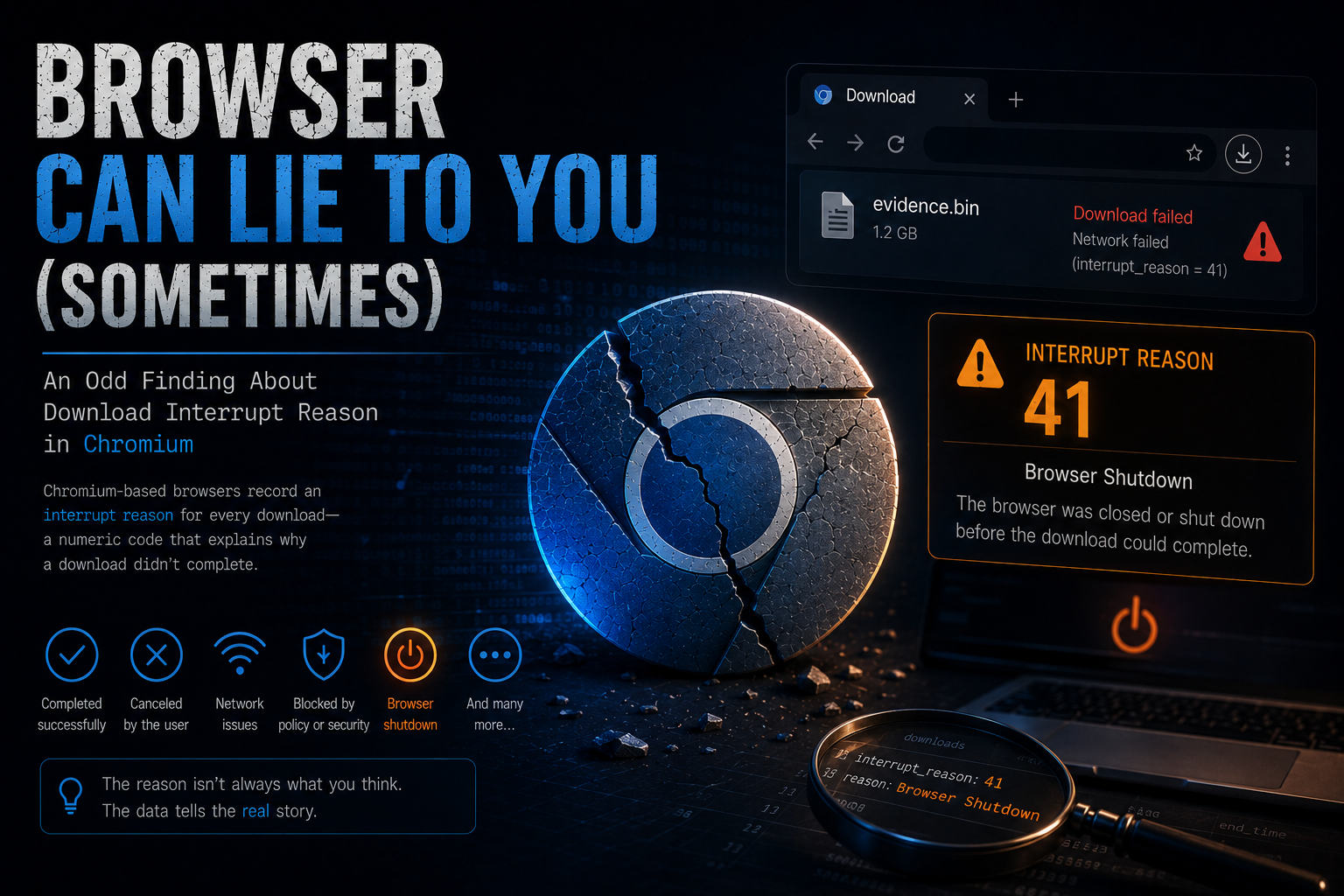
Browser Can Lie to You (Sometimes): An Odd Finding About Download Interrupt Reason 41
Hey everyone, it's me, Chicken0248. In this blog I want to share a finding about Chromium browser behavior that came up while I was authoring the WorkFromHome Sherlock challenge on HackTheBox. You probably already guessed what it is from the title. It's about the download interrupt reason.
So what is the download interrupt reason exactly? It's a value stored in the downloads history table of any Chromium-based browser. When you download a file, a lot of things can happen along the way: the download finishes, the browser cancels it, the user cancels it, the connection drops, the browser crashes, and so on. To give users and support teams some visibility into what went wrong, Chromium records a numeric interrupt reason for each download, so you know what happened and what to try next time.
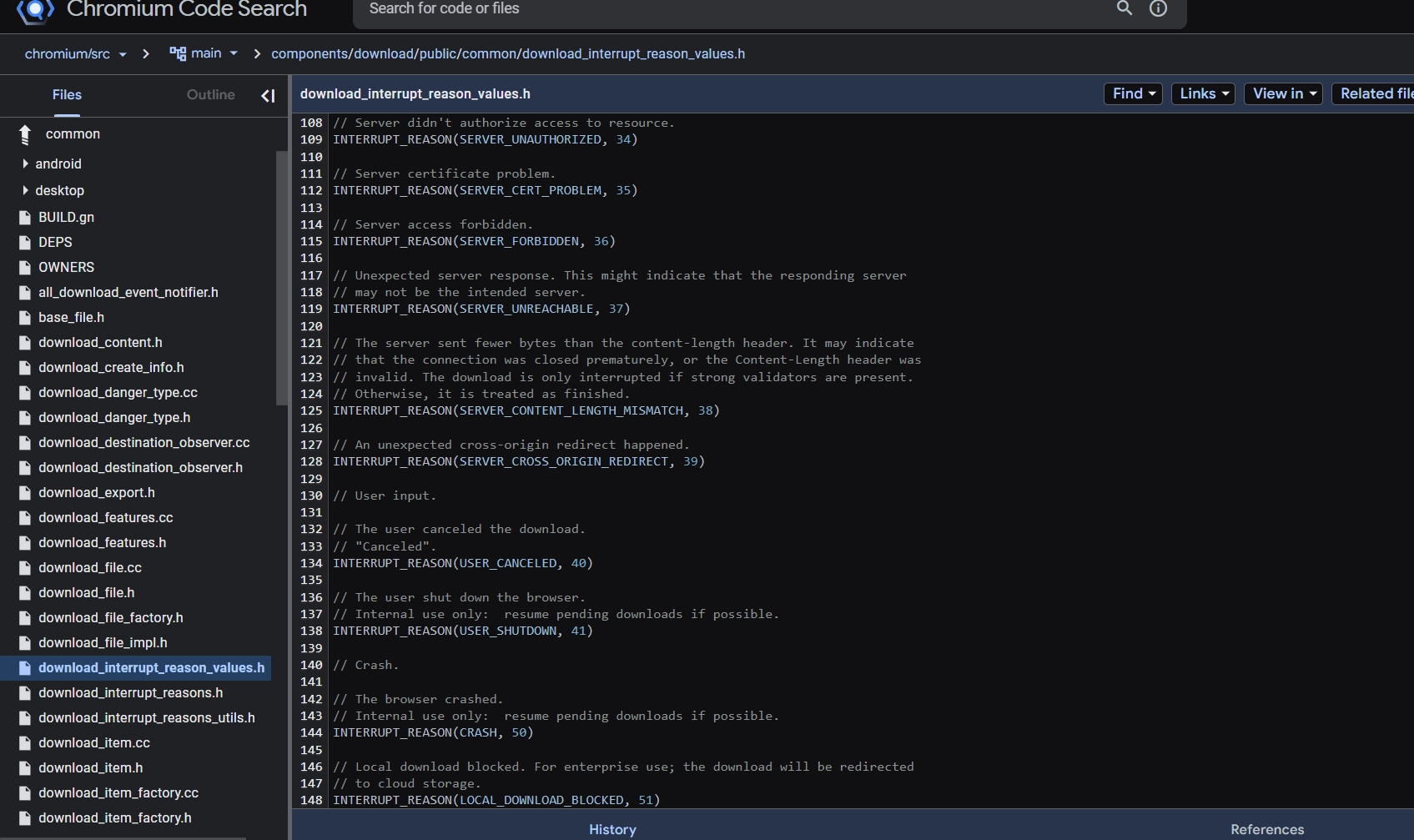
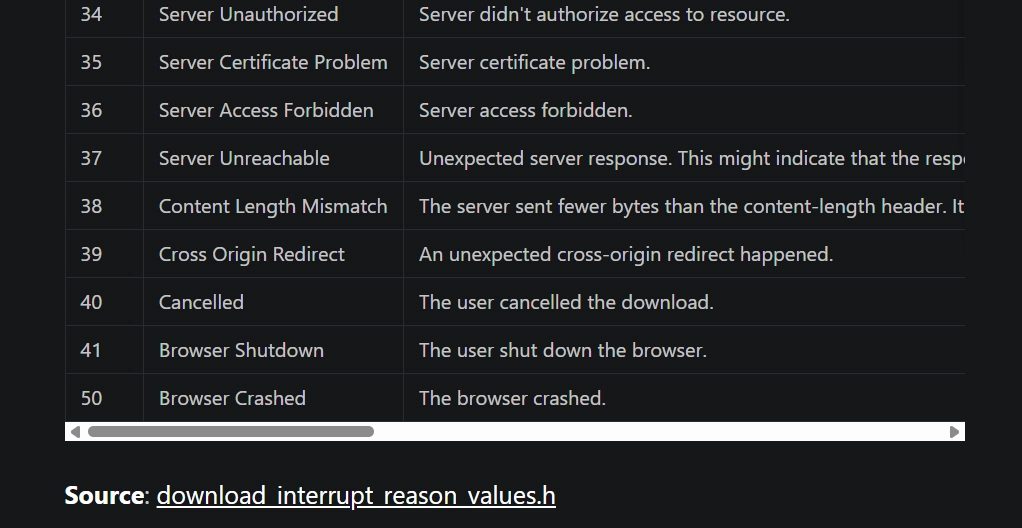
You can look up all the defined interrupt reasons directly in the Chromium source code at download_interrupt_reason_values.h and trace how each one gets written to the database.
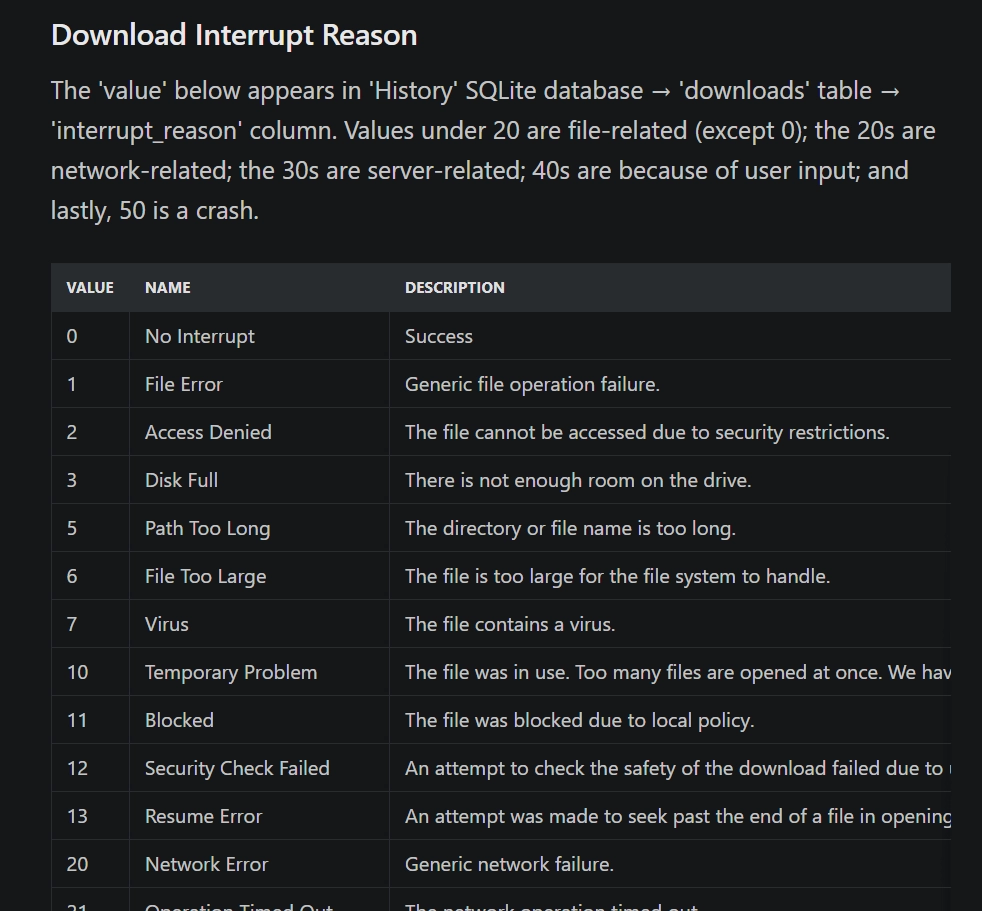
I won't dig too deep into the source code here since that's not what this post is about. Ryan Benson, the author of Hindsight, which is the most thorough and practically useful browser artifact parser I've worked with, already did the heavy lifting. He published a great reference covering Chrome Danger Types, Interrupt Reasons, and Download States in his post Chrome Values Lookup Tables.
Alright, enough background. This whole post is really just about one thing: interrupt reason 41 and why it's not as clear-cut as it looks.
Let's start with what the source code actually says. The comment for interrupt reason 41 reads: "The user shutdown the browser." with an internal note: "Internal use only: resume pending downloads if possible."

Ryan's blog labels it Browser Shutdown and carries the same description.
In my testing, Chromium-based browsers do save this value when you close the browser mid-download, confirmed across Microsoft Edge, Google Chrome, and Brave. But here's the thing: downloads blocked by Google Safe Browsing (Chrome) and Microsoft Defender SmartScreen (Edge) are also saved with interrupt_reason = 41. That overlap matters. It can change how you interpret what a user actually did, and producing accurate, evidence-grounded conclusions is what our job is about as digital forensics examiners.
Don't just take my word for it though. Here's how I tested each browser, and you can reproduce it yourself.
Microsoft Edge (With SmartScreen)
My methodology was the same across all browsers: download something and close the browser while it's still going, then reopen and download something that triggers the browser's built-in defense mechanism. For Edge, that's Microsoft Defender SmartScreen.
I downloaded the Brave Browser installer twice and canceled both by shutting Edge down. Then I reopened Edge and tried to download a netcat executable from GitHub. SmartScreen flagged it immediately.
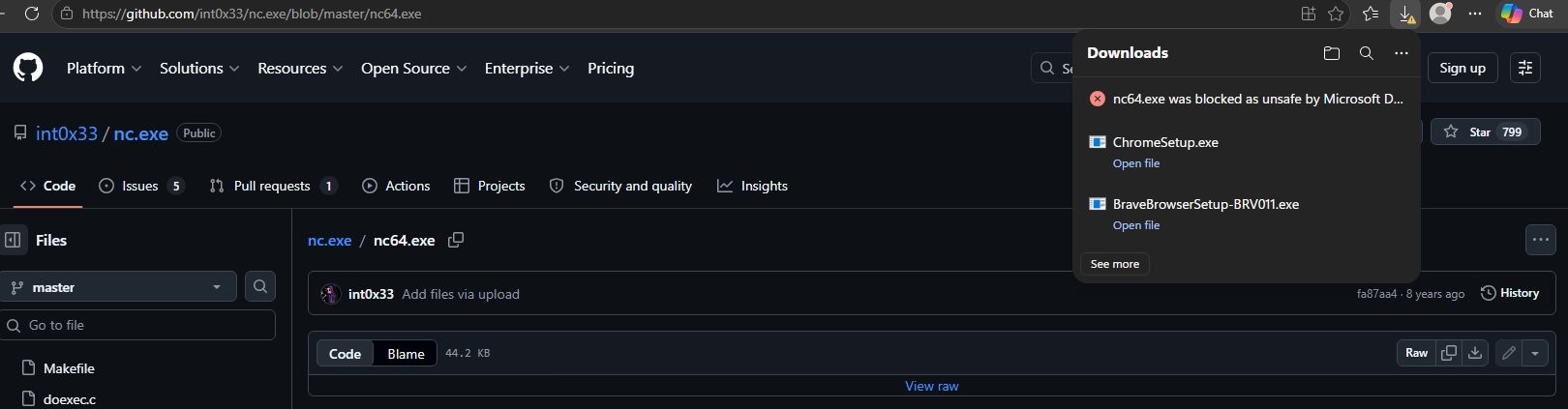
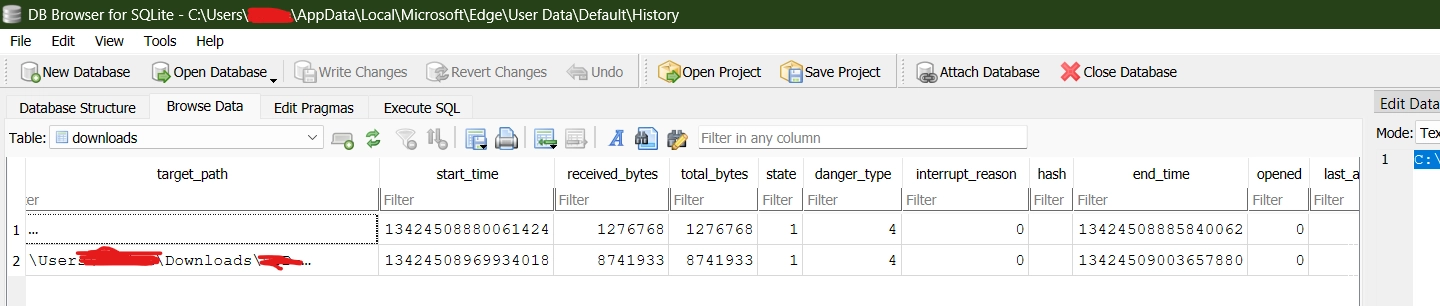
I closed Edge first to release the lock on the History SQLite file, then opened it in DB Browser for SQLite to inspect the downloads table.
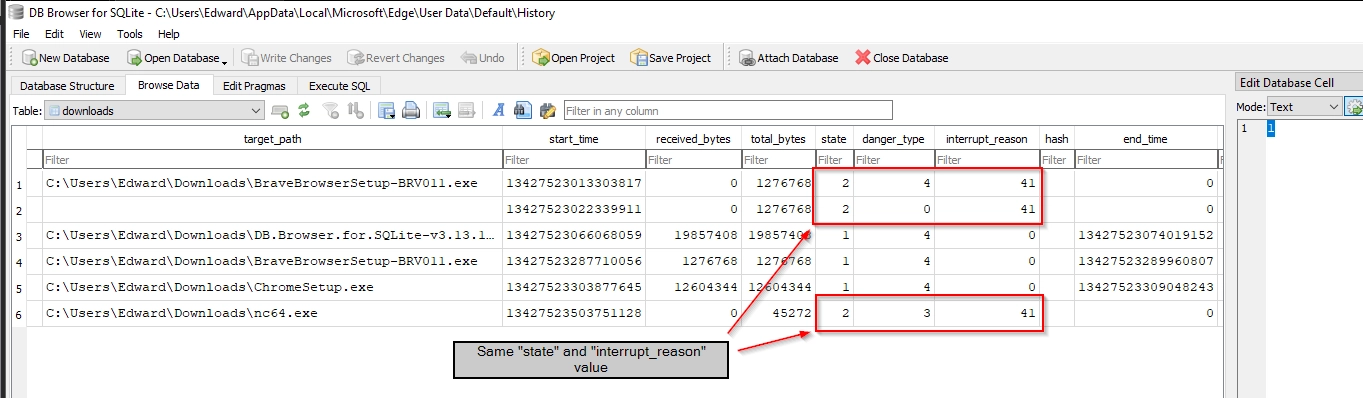
Both the canceled Brave installer downloads and the SmartScreen-blocked netcat download had identical state and interrupt_reason values: state = 2 (Cancelled) and interrupt_reason = 41 for all entries. Not state 3 or 4 (Interrupted), just plain Cancelled, same interrupt reason as a normal browser shutdown.
So SmartScreen produces this value. What about Google Safe Browsing?
Google Chrome (With Safe Browsing)
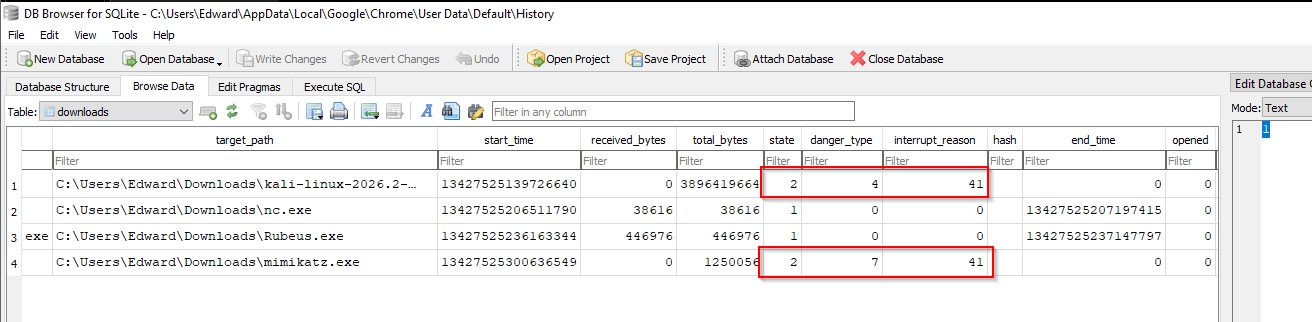
I started by closing Chrome while the Kali Linux VM was downloading. Then I tried to get netcat and Rubeus, but Windows Defender jumped in first and produced interrupt_reason = 7 (Virus Detected), which wasn't what I was testing for. So I disabled Defender and retried. Chrome let both through without a peep. Interesting choice, Google.
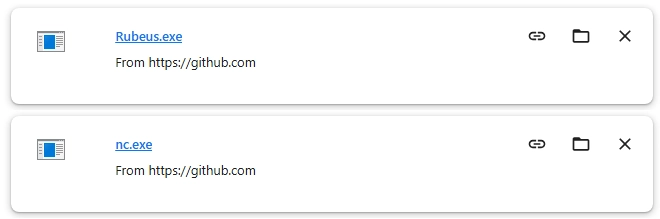
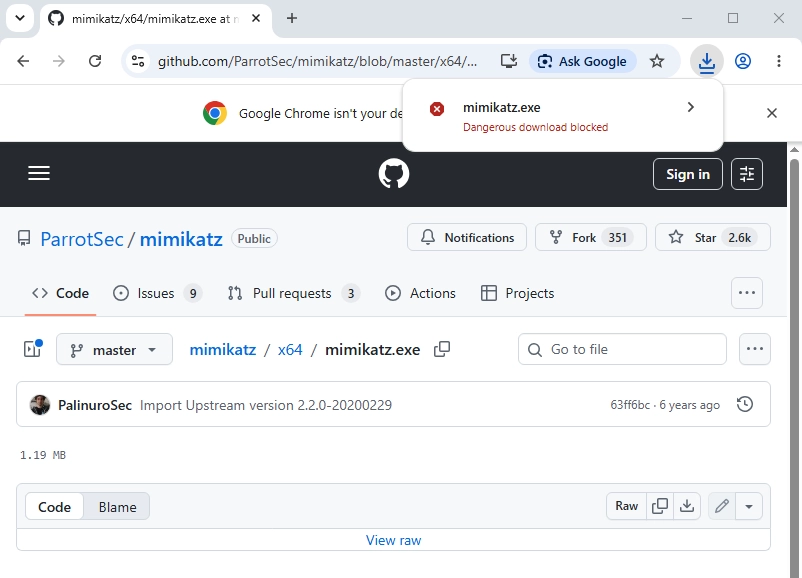
I turned Defender back on and switched to Mimikatz instead. There's basically no way Google Safe Browsing lets that one through. It didn't.
Looking at the downloads table afterward, the state and interrupt_reason were identical across all entries. One small aside: the blocked Mimikatz download was saved with danger_type = 7 (Dangerous Host) rather than danger_type = 3 (Dangerous Content), but that doesn't change the main point. Safe Browsing blocked the download and the browser recorded interrupt_reason = 41, the same value as closing the browser during a download.
Chromium (Vanilla)
Vanilla Chromium has neither Google Safe Browsing nor Microsoft Defender SmartScreen baked in. My expectation was simple: security-flagged downloads should not produce interrupt reason 41 here. They'd either get reason 7 if Windows Defender steps in, or complete fine if Defender is off.
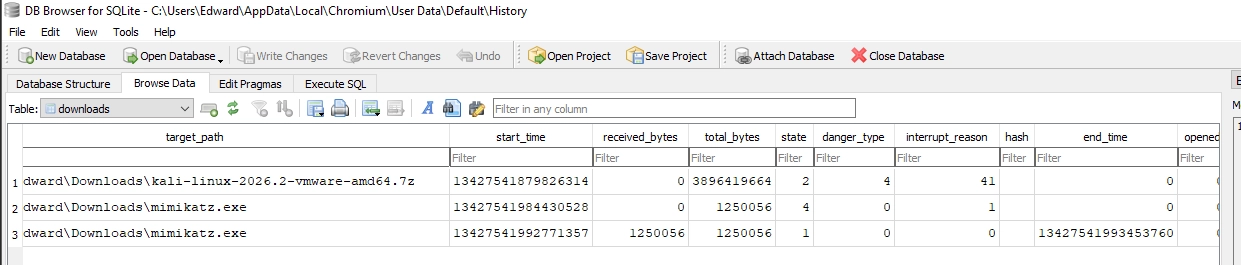
I closed Chromium mid-download (Kali Linux VM again), then downloaded Mimikatz with Defender on. Defender caught it, reason 7 as expected. Disabled Defender, downloaded again and it completed with no interrupt.
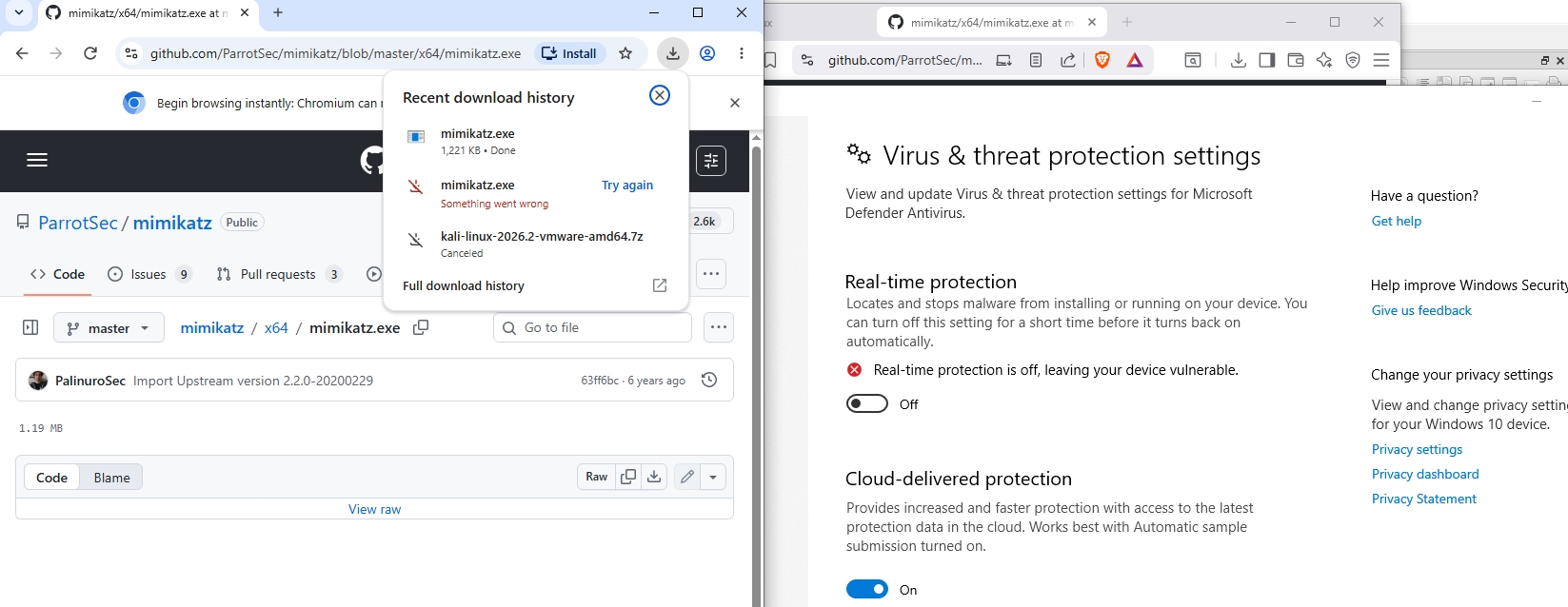
Everything lined up. Without browser-level defense mechanisms in the picture, the interrupt reason behavior is predictable and unambiguous.
Brave Browser
Brave has no Safe Browsing and no SmartScreen, so I expected the same pattern as vanilla Chromium.
I closed Brave while downloading the Kali Linux VM, then tried to grab netcat. Windows Defender stopped it, as expected.
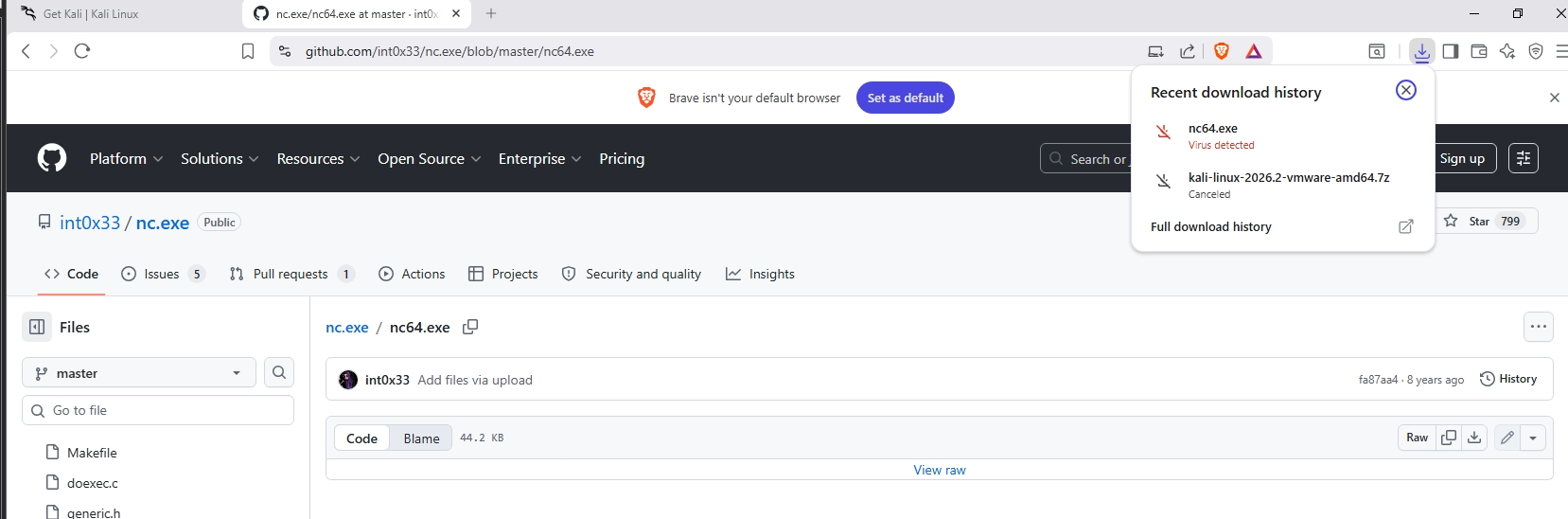
Disabled Defender, downloaded netcat and Mimikatz, both went through fine.
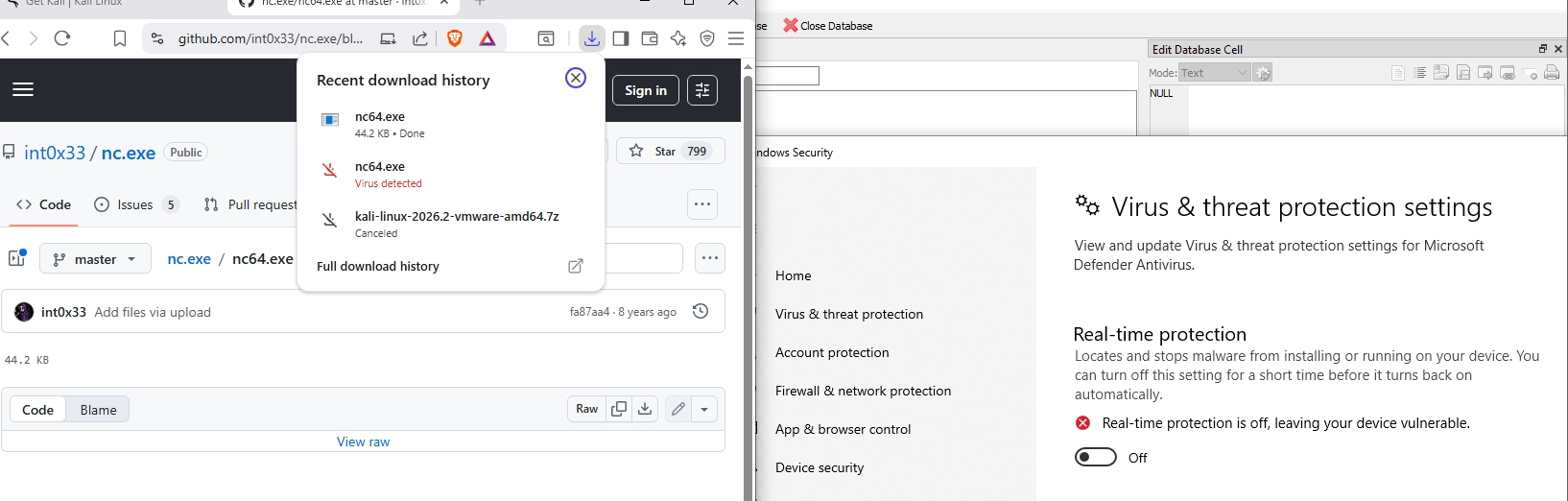
All three download events recorded exactly as expected, matching the Chromium results.

Sometimes users download malicious files on purpose. Sometimes the browser flags a legitimate dual-use tool. Either way, interrupt_reason = 41 by itself does not tell you which one happened.
When you see that value, you need to look at the surrounding context: danger_type, state, and the download URL. Without that correlation, you can't reliably distinguish a user closing the browser mid-download from a security block by Google Safe Browsing or Microsoft Defender SmartScreen, both of which produce the exact same interrupt reason in Edge and Chrome.
Reason 41 is ambiguous on Edge and Chrome. Before you conclude a user closed the browser mid-download, correlate danger_type, state, and the download URL to rule out a SmartScreen or Safe Browsing block.
As forensics examiners, our job is to give accurate conclusions backed by evidence. That means knowing when a number is ambiguous and when you need more context before committing to an interpretation.
Part 2 is up: A Failed Security Check That Still Landed the File, about interrupt reason 12 and how a failed security check leaves the complete file on disk even though the download shows as interrupted.